Convert Bank Statement PDF to Excel
Convert PDF bank statements into a clean Excel list of transactions.
By proceeding, you confirm you own the rights to the files you upload and agree to our Terms of Use.
How to use Bank Statement PDF to Excel
- 1Add your files
Click “Choose Files”, drop them on the box, or paste a link.
- 2Adjust the options
Open Options to fine-tune the result.
- 3Download
Your file is ready in seconds and deleted from the server after 8 hours.
About Bank Statement PDF to Excel
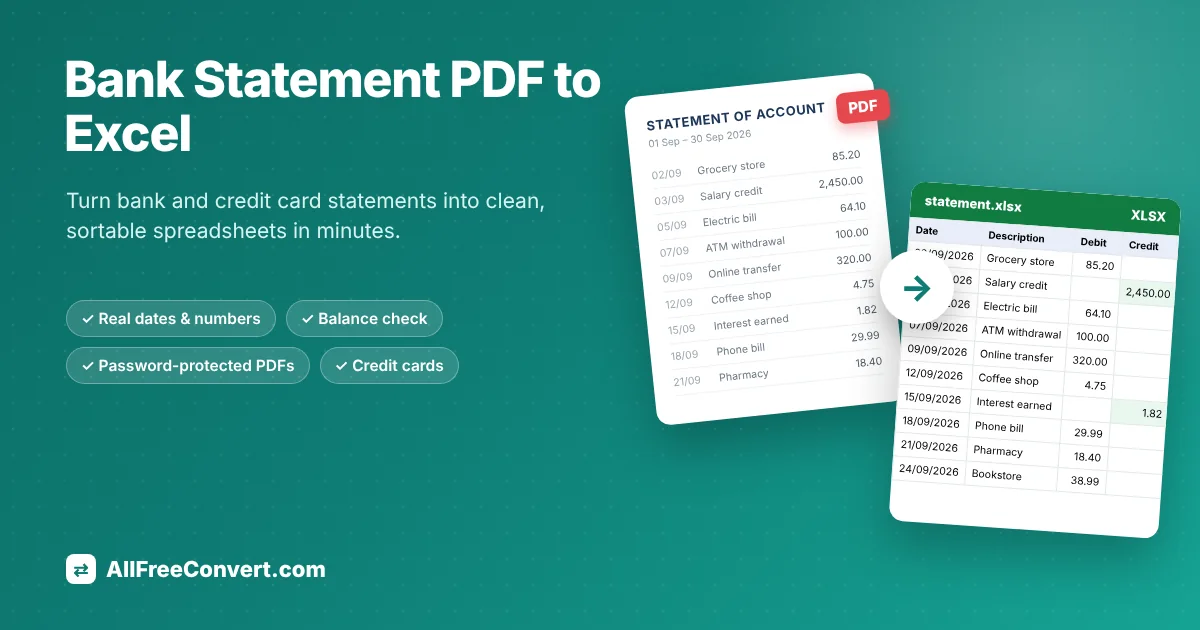
Turn a PDF bank or credit card statement into a clean list of transactions in Excel, ready for budgeting, bookkeeping, taxes or loan applications. The tool finds the Date, Description, Debit, Credit and Balance columns, joins descriptions that wrap onto two lines, puts every page into one sheet and turns amounts and dates into real Excel numbers and dates. It also checks that the running balance adds up and highlights any row that doesn't, so you know the figures came across correctly.
What you get in the spreadsheet
- One clean list of transactions with date, description, money in, money out and balance, across all pages of the statement.
- Real dates and numbers. Dates are Excel dates and amounts are numbers, so you can sort by date, filter by description, use SUMIFS by category or build a pivot table right away.
- A balance check. When the statement shows an opening and closing balance, the totals are compared so you can see at a glance that every transaction was captured.
- Credit card statements are recognised too: charges, payments and refunds are listed, with total charges and total payments, and the previous and new balance are checked against each other.
Options explained
- Statement password: many banks protect statements with a password such as your date of birth or part of your account number. Type it here. It is used only to open the file for this one conversion and is never saved or written to our logs.
- Fill in the date on every row (on by default): some banks print the date only once for several transactions on the same day. With this option every row gets its date, which makes sorting and filtering reliable.
- XLSX or CSV: XLSX for Excel and Google Sheets; CSV for importing into accounting software such as QuickBooks, Xero or a budgeting app.
Getting the best result
- Download the statement from online banking instead of scanning a paper copy. Downloaded statements contain real text; scans are only pictures.
- Convert several months at once by adding up to 20 statements; each becomes its own spreadsheet.
- Check the summary at the bottom of the sheet: if the balance check matches, you can trust the list.
- For a full walkthrough with examples, read our guide Bank Statement PDF to Excel.
Frequently asked questions
Is it safe to upload my bank statement?
Your statement is processed on our own server and never sent to anyone else. The upload is deleted right after conversion and the Excel file is deleted automatically after 8 hours. We don't read, keep or share your data.
My statement is password-protected. What do I do?
Many banks lock statements with a password (often your birthday or part of your account number). Type it in Options under "Statement password". It is used only to open the file and is never stored or logged.
Which banks does it work with?
Most banks that send statements as normal PDFs: the tool reads the column headings on the page rather than relying on a fixed list of banks. Scanned or photographed statements are not supported because they contain no text.
What is the balance check?
For each row, the tool adds the money in, subtracts the money out and compares the result with the balance printed on your statement. The Summary sheet tells you if everything adds up, and any balance that doesn't match is highlighted in red so you can compare it with your PDF.
Can I get CSV instead of Excel?
Yes. Choose CSV as the output format to import the transactions into accounting software such as QuickBooks, Xero or Google Sheets.
Which banks does it work with?
It reads the layout of the statement rather than relying on a list of banks, so it works with most banks and card issuers whose statements you download as PDF from online banking.
Is it safe to upload my bank statement?
Your file is processed on our own server over an encrypted connection and never shared. The upload is deleted right after conversion and the spreadsheet is deleted automatically after 8 hours. Passwords are never stored.
 📖 Read the full guideBank Statement PDF to Excel: The Complete Guide (Free Converter)Copying transactions by hand takes hours and invites mistakes. Here is how to turn bank and credit card statement PDFs into clean, sortable Excel sheets in a few clicks.Read the guide